ARI Menu is a completely optional macOS native menu bar app to manage ARI.Software. It is free and its source code is available. You can use it to easily start ARI, check the status, view the logs - all from the little circle in your menu bar.
macOS only. ARI Menu is currently available for macOS 13 or later. Windows and Linux versions are not available yet.
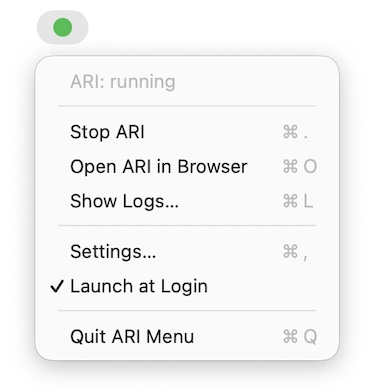
The compiled app weighs in at around 400 KB and uses negligible memory. It lives entirely in the menu bar — no Dock icon, no clutter.
Features
- One-click start and stop — wraps the
./ari startand./ari stopcommands you already know - Live status indicator — the menu bar icon changes color so you always know if ARI is reachable
- Open in browser — jump straight to
http://localhost:3000 - Live logs window — tail the dev server output in a clean SwiftUI window with copy and clear
- Launch at login — flip a toggle and ARI starts when you log in (uses Apple's modern
SMAppServiceAPI — no LaunchAgent plists, no cruft) - Quiet by design — no Dock icon, no notifications spam, no background drama
Requirements
- macOS 13 (Ventura) or later
- A working ARI installation somewhere on disk (default expected location:
~/ARI) - Swift 5.9+ (ships with Xcode 15 or the standalone Command Line Tools —
xcode-select --install)
Install
ARI Menu's source code is available. You build it yourself in a single command — this also sidesteps macOS's Gatekeeper "could not verify" warning that downloaded apps trigger, since locally-built apps aren't quarantined.
You'll need Swift 5.9+ (ships with Xcode 15 or the standalone Apple Command Line Tools). Then run these one at a time:
-
Install Apple Swift 5.9+ if you don't already have it:
xcode-select --install -
Clone the repo:
git clone https://github.com/ARIsoftware/ARI-MENU.git -
Move into the project folder:
cd ARI-MENU -
Build the app:
bash Scripts/build-app.sh -
Drag the file to your Applications folder.
-
Double click to open the app. Look for the circle icon on the right side of your menu bar.
macOS will ask you to allow ARI Menu to manage other apps. This is required because Stop sends
SIGTERMto the dev server process. Click Allow. You can review or revoke this later under System Settings → Privacy & Security → App Management.
- Open the menu and click "Launch on Login" which will ensure the menu app stays open.
Configuration
Open the menu and choose Settings. Ensure the Path correctly points to your ARI installation.
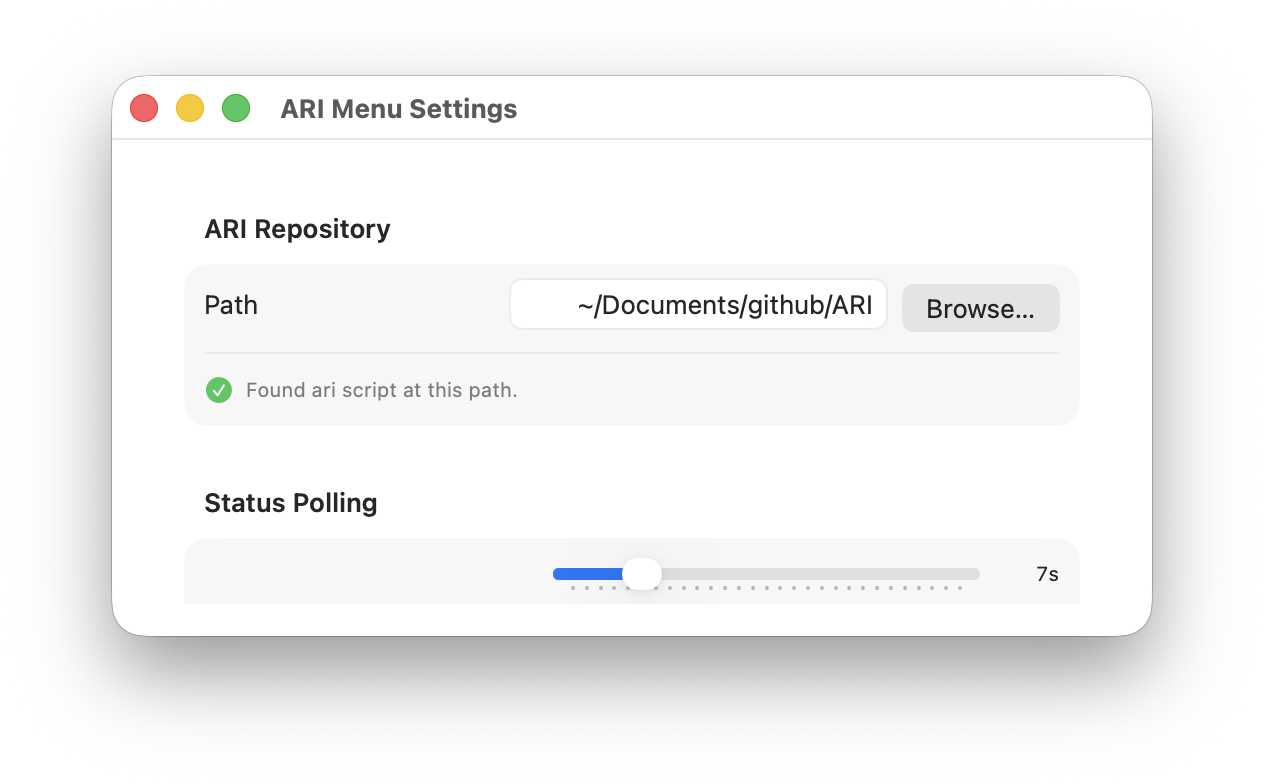
| Setting | Default | Notes |
|---|---|---|
| ARI repository path | ~/ARI | The folder containing your ari CLI shim. Use Browse to pick another location. |
| Status poll interval | 5 seconds | How often the app probes localhost:3000. Range: 2–30 seconds. |
| Launch at login | On | Registers the app as a login item via SMAppService. |
Settings are stored in standard macOS UserDefaults under the bundle identifier ari.software.menu.
Troubleshooting
The menu bar icon stays red even though ARI is running.
Open Settings… and confirm the ARI repository path points to the folder containing your ./ari CLI. If you started ARI on a non-default port, the status probe (which targets localhost:3000) won't see it.
"Stop" doesn't kill the dev server.
Make sure you allowed App Management permission on first launch (System Settings → Privacy & Security → App Management). Without it, macOS blocks the SIGTERM.
The app won't open after building.
Right-click ARIMenu.app → Open → confirm in the Gatekeeper dialog. The build is ad-hoc signed, so the standard double-click is blocked the first time.
License
Next Steps
- Installation — macOS — Install the ARI app itself
- Commands — Reference for the
./ariCLI that the menu app wraps - Settings — Configure your ARI instance