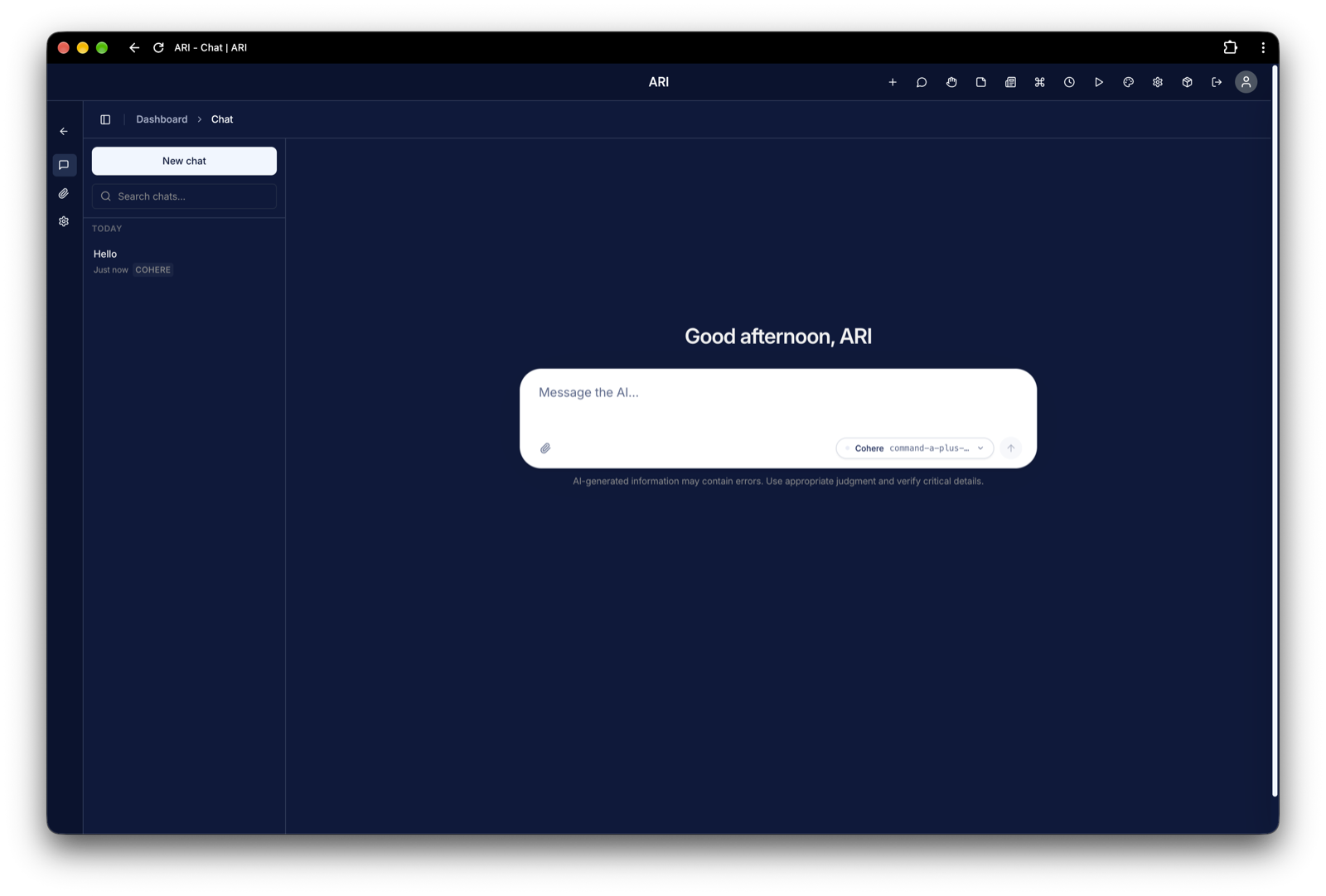
ARI lives in your browser, but it doesn't have to feel like a website. With one click in Chrome, you can install ARI as a desktop app — its own window, its own icon in your Dock or taskbar, and none of the tabs, address bar or bookmarks competing for your attention.
It's the same ARI, running on your own machine, with your own data. It just feels like it belongs on your computer.
Why Install It
- A window of its own — ARI opens in a clean, dedicated window with no tabs or address bar. Your workspace gets the whole screen, not a slot between your email and fifty other tabs.
- Launch it like any other app — Find ARI in Spotlight, Launchpad or the Applications folder on macOS, or the Start menu on Windows. Pin it to your Dock or taskbar and it's always one click away.
- Switch to it instantly — ARI shows up in ⌘+Tab and Alt+Tab as its own app, so jumping back to your workspace takes a keystroke instead of a tab hunt.
- Never lose it in a sea of tabs — Closing a browser window won't take ARI with it, and ARI won't get buried behind everything else you have open.
- Nothing extra to install — There's no separate download, no installer, and nothing to keep updated. The app always runs your current version of ARI, so every update you install shows up automatically.
- Fully private — The app is simply a window onto your own ARI instance. Nothing is sent anywhere new.
Install the Desktop App
-
Make sure ARI is running, then open it in Chrome. For a local install this is
http://localhost:3000; for a cloud install, use your Vercel URL. -
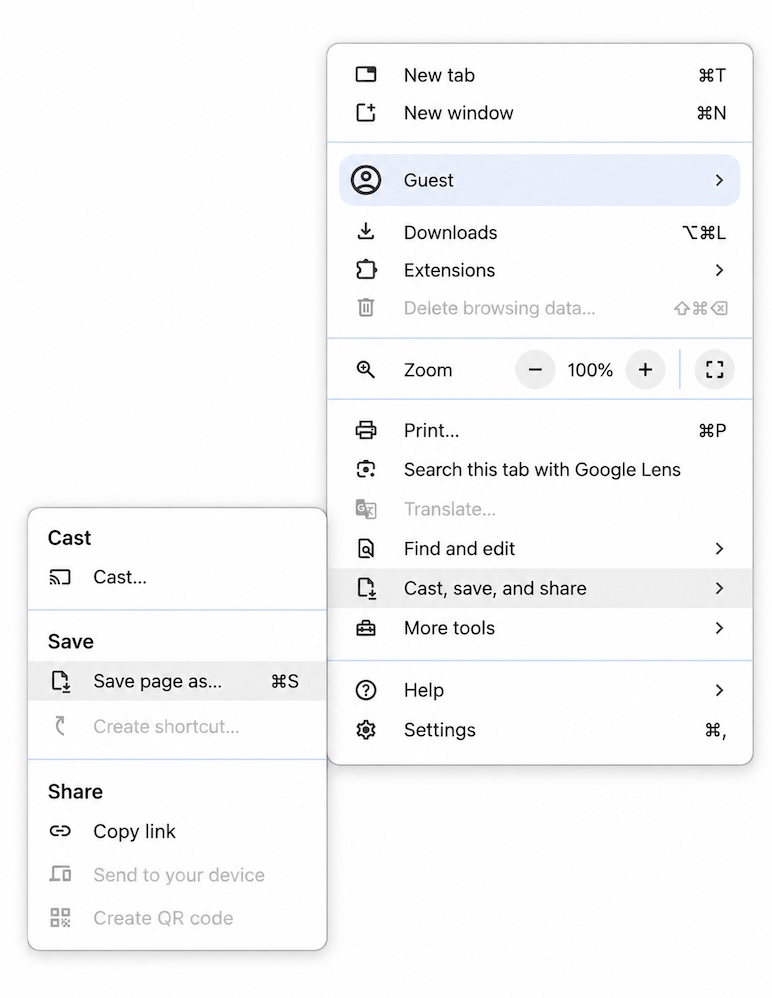
At the top right, select More (⋮) → Cast, save, and share → Install page as app…
On some websites, you can instead select Install at the top right of the address bar.
-
Name the app ARI and select Install.
-
ARI opens in its own window. To keep it handy, right-click its icon in your Dock or taskbar and choose Keep in Dock (macOS) or Pin to taskbar (Windows).
Local installs: The desktop app is a window onto your ARI instance, so ARI needs to be running for it to load. On macOS, the Menu App can start ARI automatically when you log in, so the desktop app is always ready when you open it.
Uninstall
Open the ARI desktop app, select More (⋮) at the top right of its window, then choose Uninstall ARI…. This only removes the app shortcut — your ARI installation, modules and data are untouched.